Update Banking Information
Last updated: June 15, 2026
Update your merchant bank information to receive wires for gift card sales.
Log in to your Gifted Merchant Dashboard using the following link:
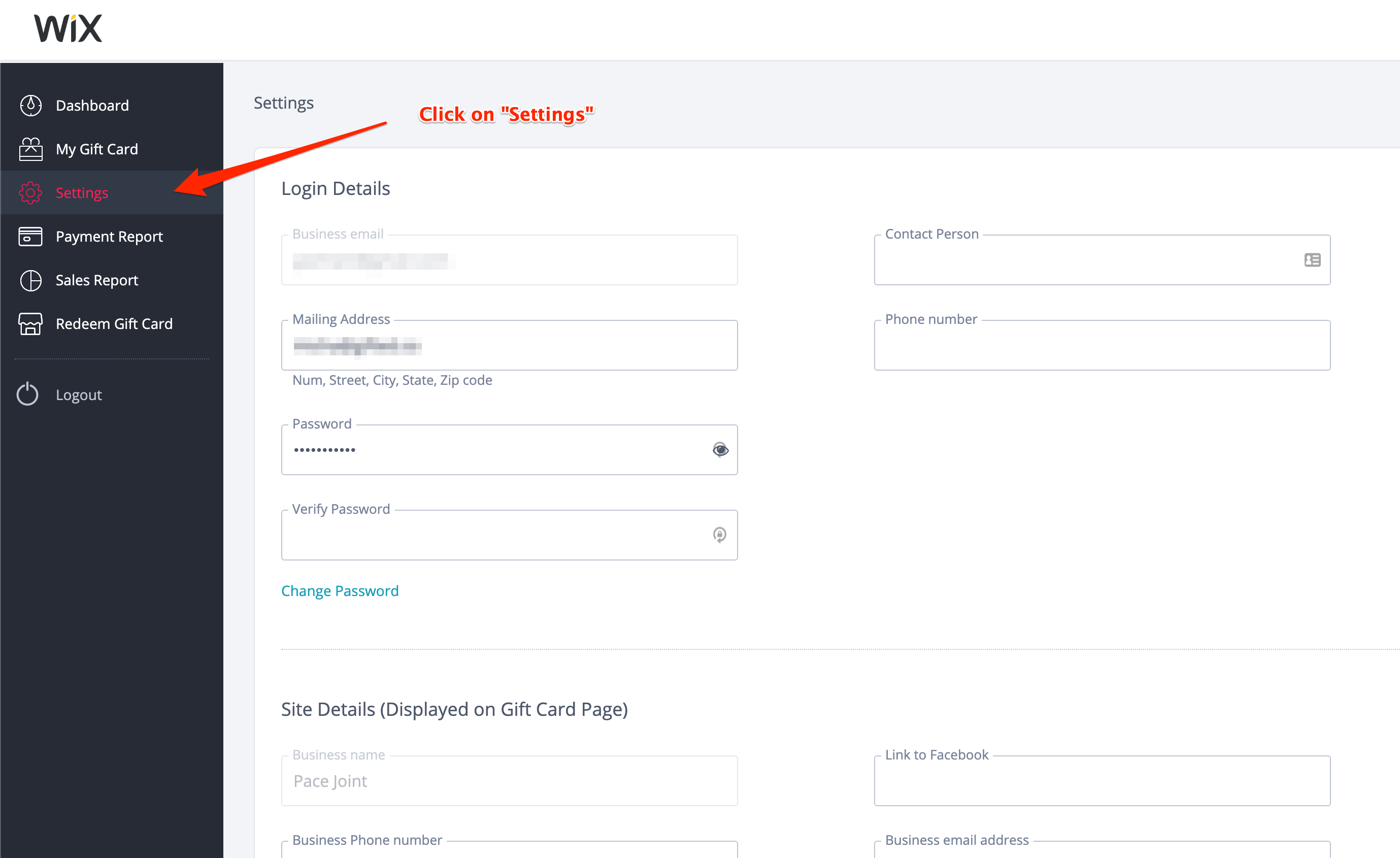
https://gifted.co/supplierClick on the Settings tab on the left menu and scroll all the way down.
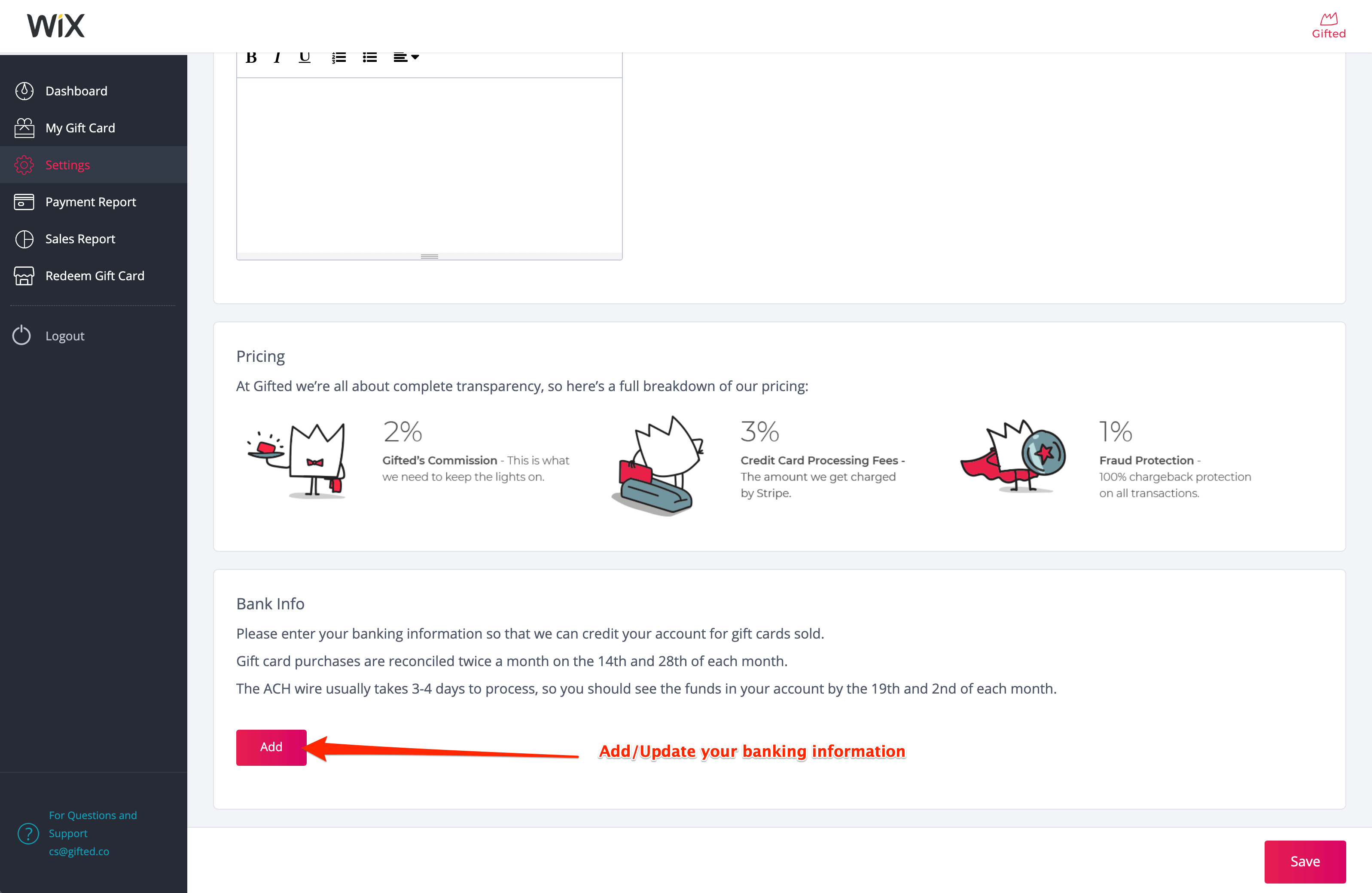
3. Scroll down the page to the Bank Info section and click on Add/Update
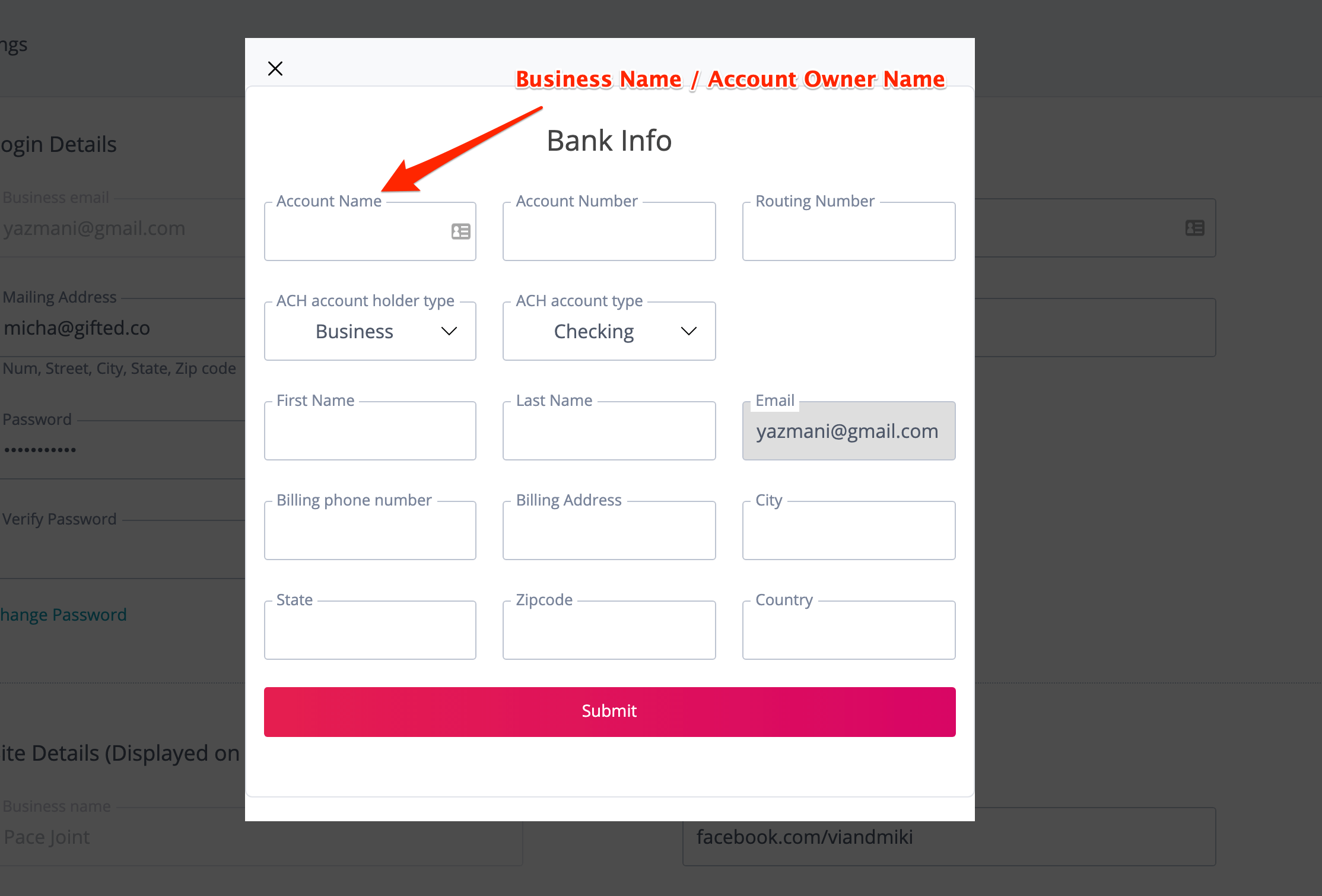
4. Update your banking information and click on Submit.
Make sure that under Account Name you enter the name of the account owner or business name.