Trinet HR (Zenefits) Integration
Last updated: June 15, 2026
Linking Your Trinet HR (Zenefits) Account to Gifted
As a Gifted user, you probably know the benefits of connecting your Trinet HR (Zenefits) account. It's easy to integrate both of your accounts. All you need to do is follow a few simple steps. Here's how to link your Trinet HR (Zenefits) account to Gifted:
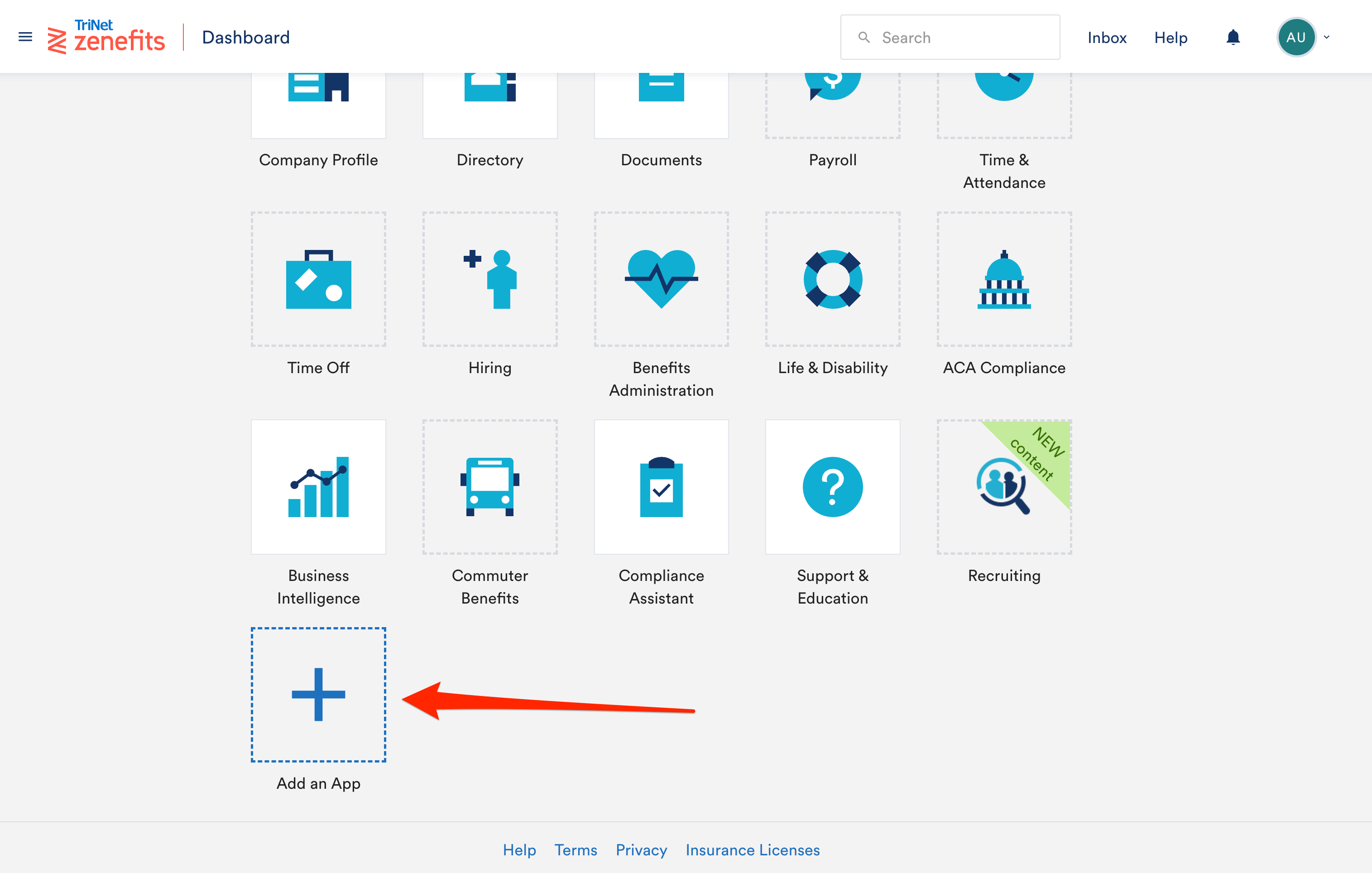
Step 1: Open your Trinet HR (Zenefits) Dashboard
On the Dashboard, go to the add app button.
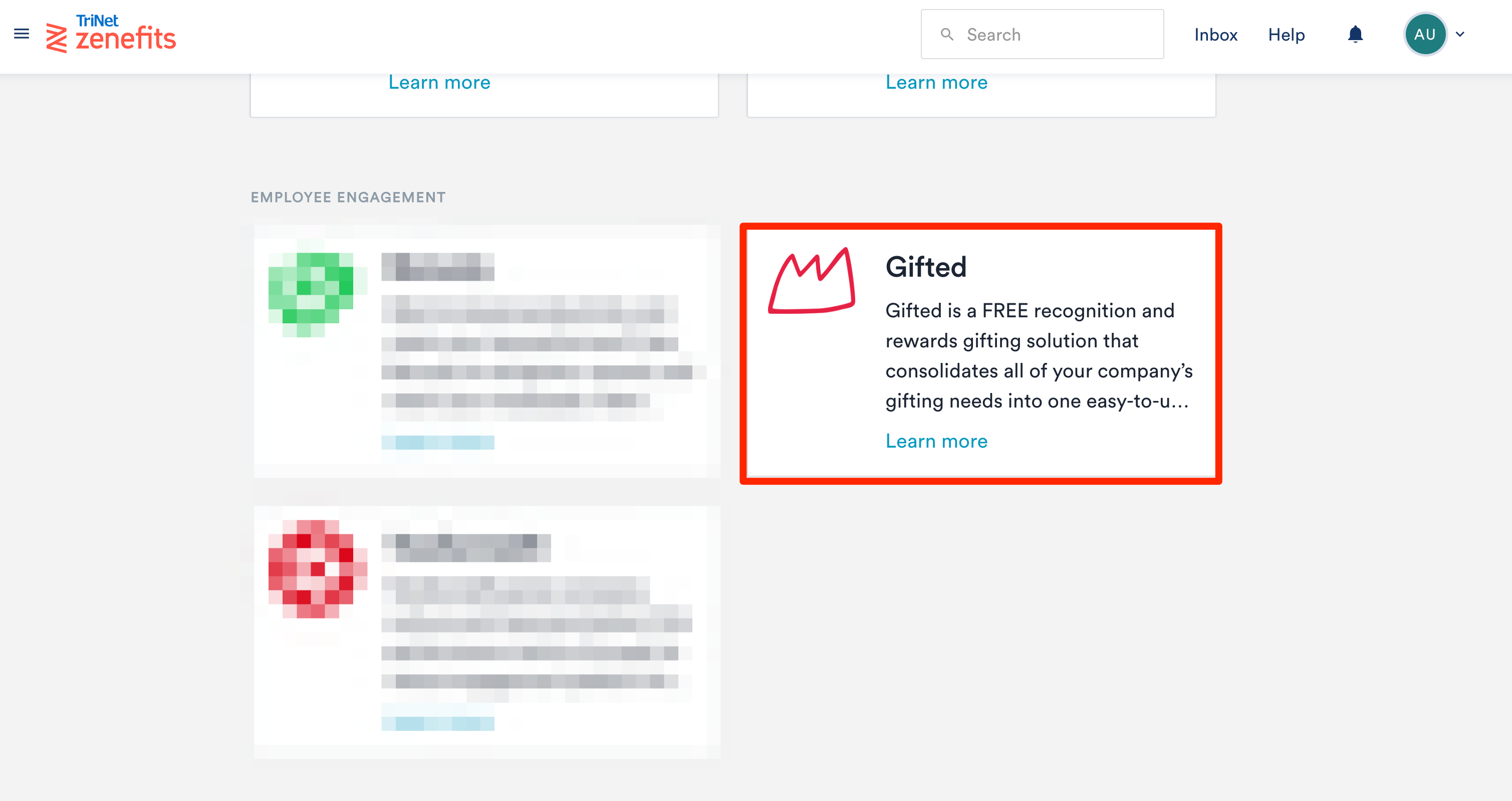
Step 2: Choose the Gifted App
Scroll down until you find the Gifted app and click on it.
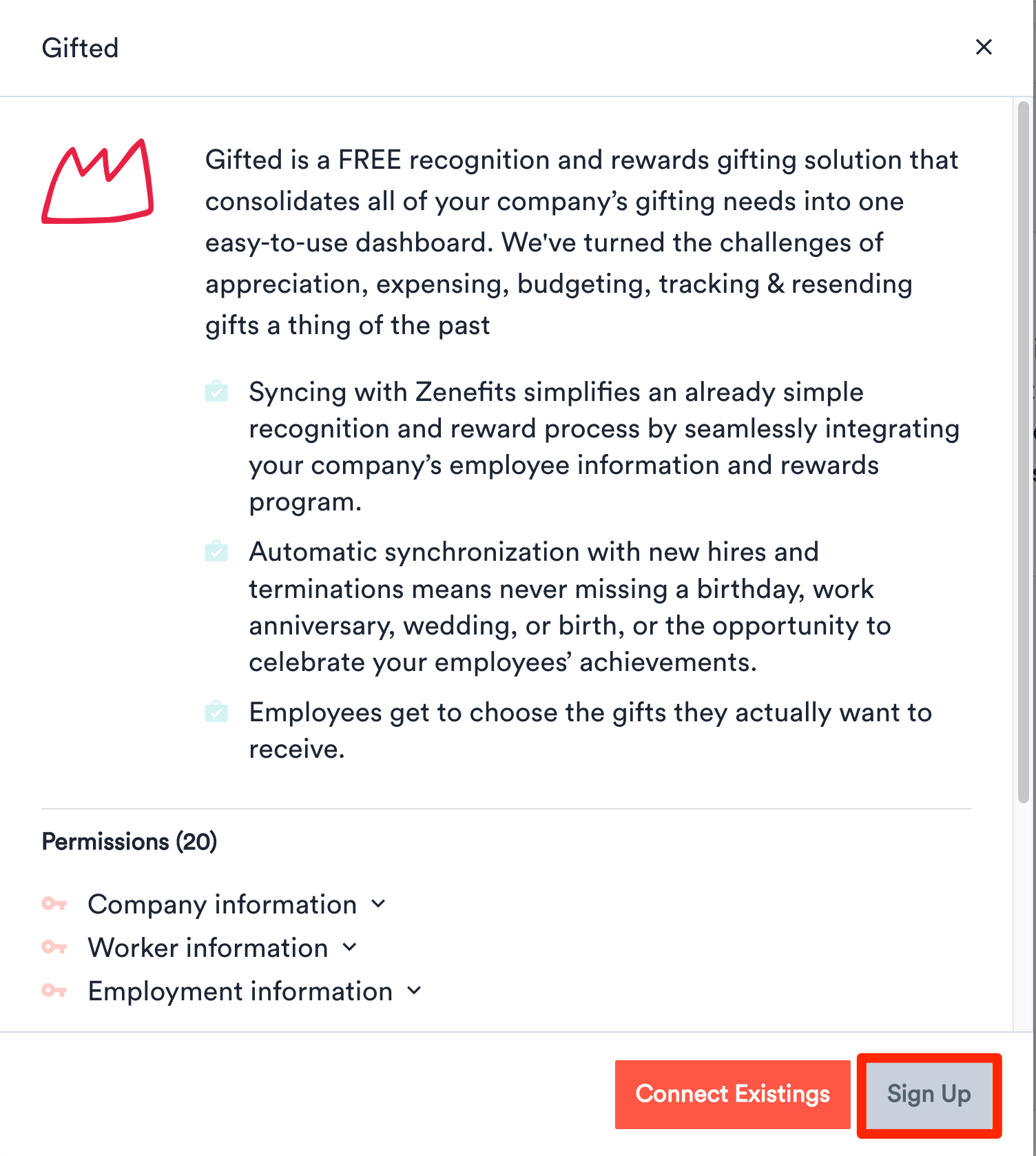
Step 3: Install the Gifted App
Click on the Sign-Up button that appears on the popup.
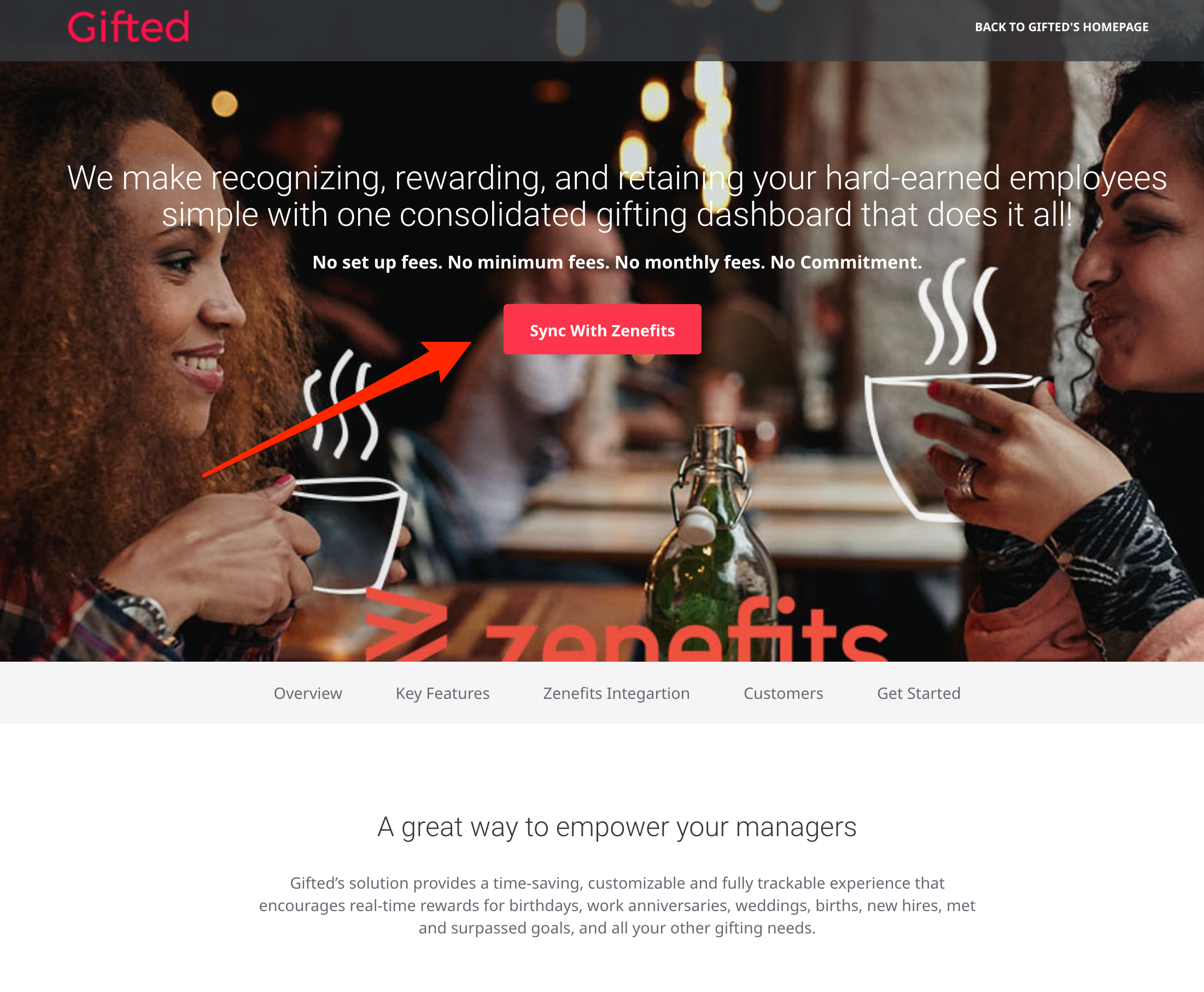
Step 4: Sync the Gifted App with Trinet HR (Zenefits)
Click on Sync With Trinet HR (Zenefits) button and approve the app permission.
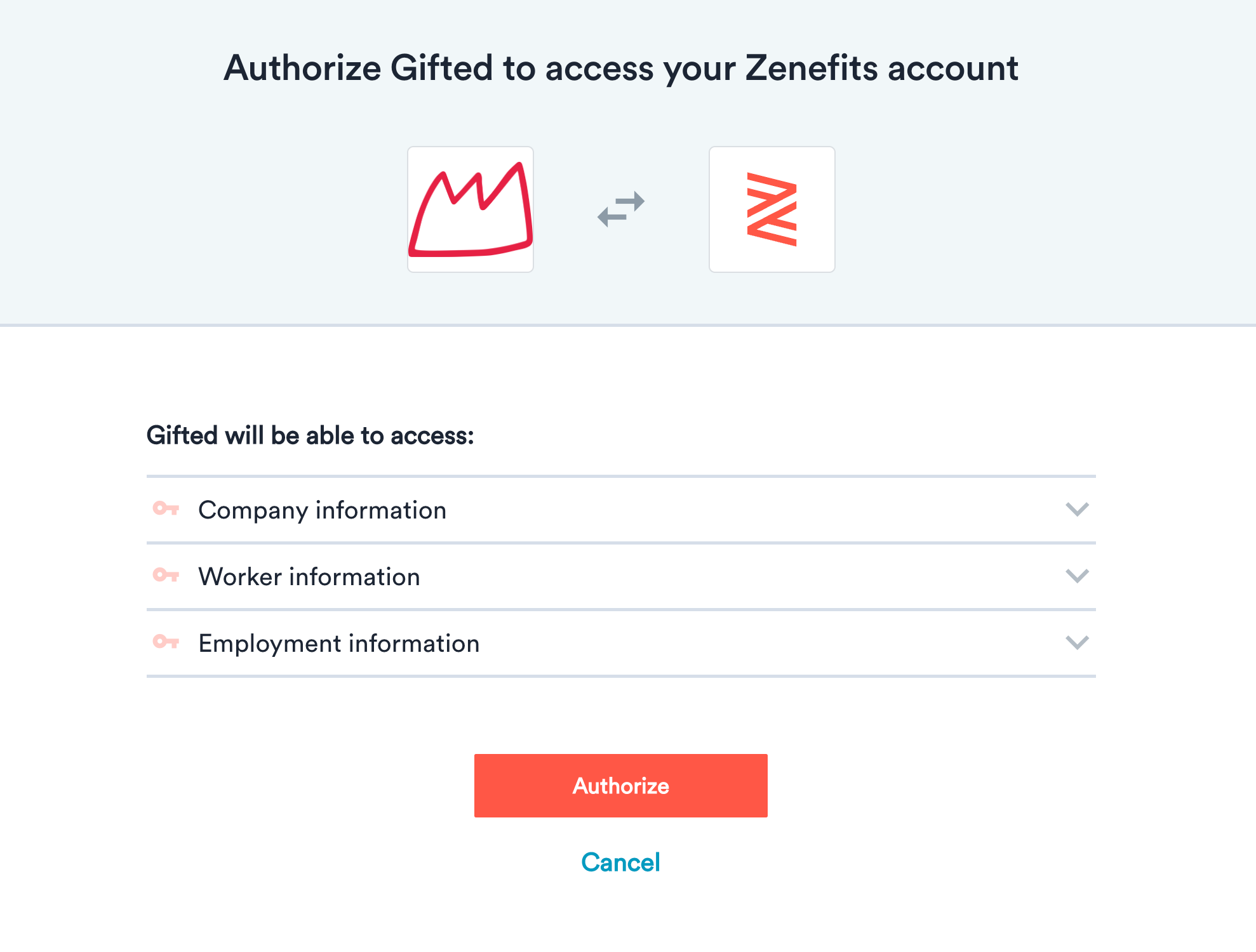
Step 5: Sign Up for a Free Gifted Account
Once the integration is completed, sign up and open your new FREE Gifted account.
Please Note:
You don't need to complete Step 5 if you already have a Gifted account. We'll integrate your account within the next 48 hours. It'll be just like magic!
Having Trouble?
If you're having trouble connecting Paylocity to your Gifted account, please contact support@gifted.co for more help.
Having issues with finding the correct information on Trinet HR (Zenefits)? Please contact the Trinet HR (Zenefits) team.